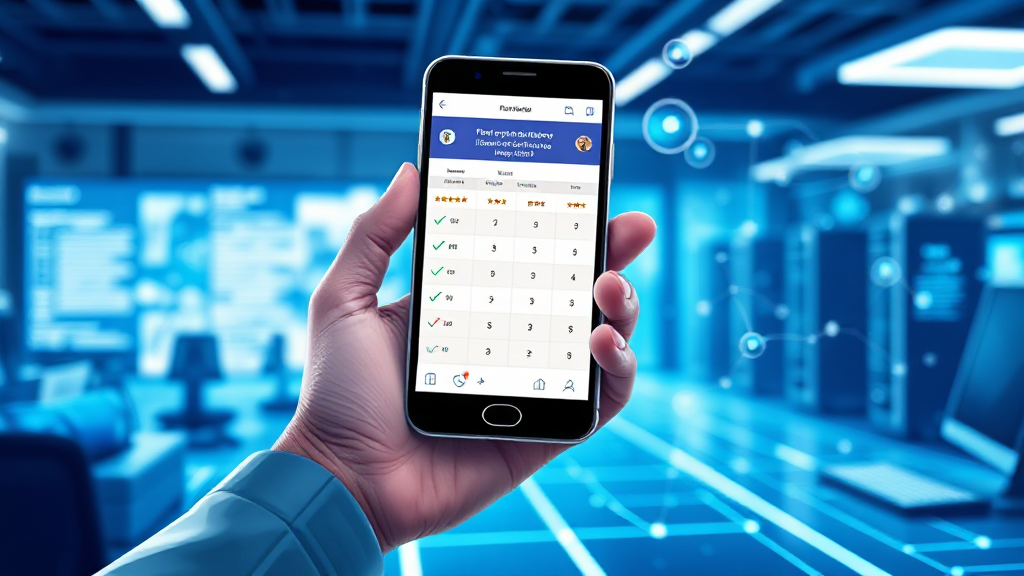
What Happens Between a Click and a Listing Page
What Happens Between a Click and a Listing Page
You tap a link. Less than a second later, a page full of ratings, bonus wording and withdrawal notes appears on your phone. It feels instantaneous, almost magical, but a surprising amount of machinery has to work in perfect sequence for that moment to happen. When someone opens a comparison directory such as Rummy Skill Hub, the experience they get is the end product of a delivery chain that starts long before their finger touches the screen. Understanding that chain is useful, because the parts of it that slow down or break are exactly the parts that decide what a reader sees first, and whether they trust what they see.
This is a plain-language walkthrough of that journey. No deep server jargon, no assumptions that you manage infrastructure for a living. Just the sequence of events between a click and a listing page, and why each stage matters to the person holding the phone.
The First Few Hundred Milliseconds Decide Everything
Human patience on the web is measured in heartbeats, not minutes. Research on browsing behaviour has consistently shown that visitors begin forming judgements about a page within the first fraction of a second, long before they have read a single word. If a comparison listing takes three or four seconds to appear, many users will assume it is broken, or that the site is unreliable, and they will leave. That is a brutal standard, but it is the reality every directory has to design around.
The interesting part is that the first thing a visitor perceives is rarely the full page. It is usually a partial render: a header, a background colour, perhaps a placeholder where the comparison table will eventually sit. This is why the order in which content arrives matters so much. If the ratings and bonus details load last, the reader stares at an empty frame and starts to doubt the site. If those details arrive early, the page feels fast even when the total load time is technically the same.
Think of it like a restaurant. What matters is not how long the kitchen takes in total, but whether bread and water reach the table quickly. A directory that shows its structure immediately, then fills in the details, feels responsive. One that shows nothing until everything is ready feels slow, even if the clock says otherwise.
From Click to Request: What the Browser Actually Does
When you click a link, your browser does not instantly know where to go. First it has to translate a human-readable address into a numeric one. That translation, called DNS resolution, is like looking up a phone number in a directory. If the number is already in your browser’s memory, the lookup is instant. If not, the browser has to ask a resolver, which asks other servers, and the answer travels back across the network. This step alone can add tens or even hundreds of milliseconds, depending on how far away the resolver is and whether the answer was cached.
Once the address is known, the browser opens a connection to the server. Modern connections use encryption by default, which means a short handshake has to happen before any content can move. That handshake is a security necessity, but it is also a round trip: a message goes out, a reply comes back, and only then does the real conversation begin. On a fast connection this is barely noticeable. On a slow mobile network, it is one of the many small delays that add up.
Only after all of this does the browser send the actual request for the page. The server receives it, decides what to send back, and begins transmitting. Every one of these stages is a potential bottleneck, and every one of them happens before a single pixel of the listing page is drawn.
How the Server Assembles a Comparison Page
Servers are not magic boxes that store finished pages. In most cases, a page is assembled on demand. A request arrives, the server checks what is being asked for, gathers the relevant data, and stitches it into a document the browser can understand. For a directory that lists multiple apps with ratings, bonus wording and withdrawal cues, that assembly step involves pulling together several pieces of information and arranging them into a consistent layout.
There are broadly two approaches. The first is to build the page fresh every time, which keeps information current but costs processing power on each request. The second is to prepare pages in advance and serve the finished version, which is extremely fast but needs to be refreshed whenever the underlying information changes. Most well-run directories use a mix: static delivery for the parts that rarely change, and dynamic assembly for the parts that do.
This is where the quality of the underlying data shows through. A comparison listing is only as good as the records behind it. If ratings, bonus descriptions and minimum withdrawal notes are stored in a structured way, the server can assemble a clean table quickly. If they are scattered across inconsistent sources, the page either loads slowly or displays something confusing. Readers never see this layer, but they feel its consequences.
Content delivery networks add another layer. Instead of every visitor reaching a single origin server, copies of the page are placed in locations around the world. A reader in one region gets served from a nearby copy, which cuts the distance the data has to travel. It is the difference between ordering from a local shop and ordering from a warehouse on another continent.
Why Listing Pages Break When They Get Heavy
A comparison page is deceptively heavy. It contains text, yes, but also layout styles, fonts, icons, rating graphics, interactive elements and often third-party components such as analytics or advertising scripts. Each of these is a separate file that the browser must fetch, parse and execute. The more of them there are, the longer the page takes to become fully usable, even if the visible content appears quickly.
Scripts are the usual culprit. A single slow script can block the browser from rendering anything else, which is why a page sometimes shows a blank screen and then suddenly appears all at once. Images matter too, but they are usually easier to optimise. Fonts are subtler: if a custom font has to be downloaded before text can display, readers may see invisible text for a moment. Good directories avoid this by showing a system font first and swapping in the custom one when it is ready.
Mobile devices amplify every one of these issues. A phone has less processing power, a less predictable network connection, and a smaller screen that makes layout mistakes more obvious. A page that feels snappy on a desktop can feel sluggish on a mid-range Android phone, which is precisely the device most readers of a rummy comparison directory are likely to be using.
There is also a psychological dimension. When a listing page loads slowly, readers do not simply wait. They start scanning for reasons to distrust it. Is the site outdated? Are the ratings real? Is the bonus wording accurate? Speed is not just a convenience; it is an implicit signal of care. A fast, stable page suggests that someone is paying attention.
What Fast Delivery Means for the Reader
When the delivery chain works well, the reader never thinks about it. They click, the page appears, and they immediately see what they came for: a structured comparison of apps, with ratings, bonus terms and withdrawal details laid out clearly. The technology disappears, which is exactly the point. The best infrastructure is the kind nobody notices.
When it works badly, the opposite happens. The reader notices everything: the blank screen, the shifting layout, the table that appears halfway down after they have already scrolled past it. They may never articulate why the site felt untrustworthy, but the feeling is real, and it is created in the first second or two of the visit.
For anyone running or evaluating a comparison directory, the practical takeaway is straightforward. Prioritise what the reader sees first. Serve the structure before the decoration. Keep the underlying data clean so the server can assemble pages quickly. Test on real phones on real networks, not just on a fast office connection. And remember that every optimisation is ultimately about the person on the other end, deciding in a heartbeat whether this page is worth their time.
The journey from click to listing page is short in human terms and long in technical ones. It involves address lookups, secure handshakes, server-side assembly, network delivery and browser rendering, all compressed into a moment the reader experiences as a single, effortless instant. When that instant lands well, the reader moves on to the content that matters. When it does not, no amount of good information further down the page will recover the visit. That is the quiet, unglamorous truth behind every smooth comparison page: the fastest thing on the screen is usually the result of the most careful work behind it.